
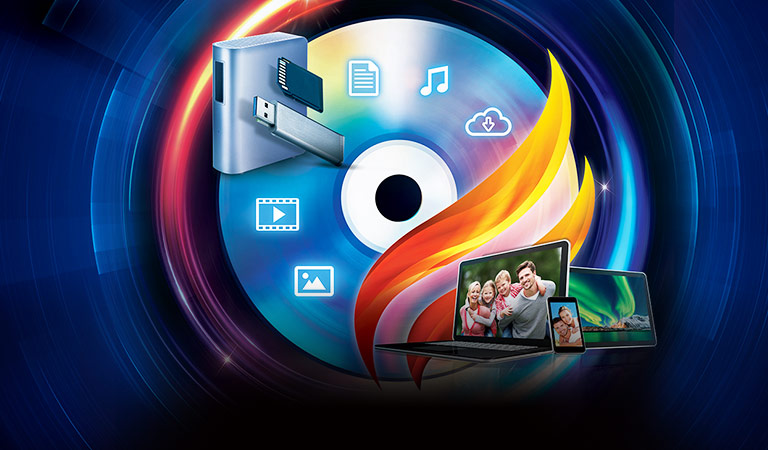



滿足燒錄、製作 & 備份三大需求的終極解決方案
威力酷燒是一套全方位的影音保存解決方案,滿足光碟燒錄、影片光碟製作、備份與轉檔等多項需求。透過對所有熱門光碟及影音格式的強大支援,你能輕鬆拖曳檔案、快速完成資料或影片燒錄。搭載專業光碟製作功能與全方位選單編輯工具,提供免費選單範本與背景音樂,讓你輕鬆製作令人印象深刻的 DVD 與藍光光碟。威力酷燒使用 256 位元軍事等級加密防護,讓燒錄至光碟或 USB 裡的重要資料安全無虞。
-

光碟燒錄
燒錄過程化繁為簡!選取好光碟類型 (CD、DVD 或藍光光碟) 後,將檔案拖放進桌面燒錄小工具,立即開始燒錄。
-
影片光碟製作
搭載專業光碟製作功能與選單編輯工具,提供免費選單範本與背景音樂,讓你能輕鬆製作令人印象深刻的 DVD 與藍光光碟。
-
行動影音轉檔
享受行動影音一套到位!透過智慧裝置偵測技術,為你選取最佳轉檔輸出格式,即便忘記裝置型號也沒關係。
-
備份與防護
保護你的 Windows 系統資料至 USB 隨身碟或光碟,並使用軍事等級加密防護進行燒錄,讓重要資料安全無虞。
光碟燒錄
-
燒錄各式光碟
支援燒錄 CD、DVD、藍光光碟和 AVCHD 影片光碟。透過桌面燒錄小工具,讓製作流程更易上手,將檔案、資料夾、光碟、音樂或影片拖曳至選取的光碟類型,大功告成!
-
桌面燒錄小工具
輕鬆將檔案拖放進桌面小工具,即可將資料或影片燒錄至各種光碟格式,簡單又快速!
-
-
裝載、燒錄 & 檢視 ISO 光碟映像檔
在電腦上將光碟映像檔裝載為虛擬光碟機,輕鬆讀取檔案內容。將電腦或光碟中的映像檔拖曳至 ISO 檢視器,快速瀏覽內容,存取檔案就是如此輕鬆簡單!
影片光碟製作
-
強化
創造精彩 DVD 選單
使用吸睛且具主題特色的選單,加入背景音樂、相片圖庫與章節標題,更能自訂一系列偏好設定,打造你專屬的完美選單。
-
全新
優質選單套件
內建一系列優質選單範本,適用於家庭、旅遊、節日或浪漫風格影片,為各式各樣的場合創建完美的影音播放選單!
-
-
全新
免費背景音樂
內建多種免費背景音樂曲目,為你的光碟內容畫龍點睛!你也可以選擇直接從硬碟匯入音樂。
-
全新
調整背景音樂
編製時自行調整音量設置,確保光碟的背景音樂音量符合你的需求。還能添加背景音樂淡入與淡出效果,或是讓音樂自動重複播放,為欲燒錄的光碟加入特色音樂、增添影片氛圍。
-
-
全新
剪輯與影片預覽
先修剪過長的影片、刪除不需要的片段,再進行燒錄,讓影片能夠完美呈現!你還能在燒錄之前,以 Full-HD 高畫質預覽影片!
-
全新
量身打造你的光碟
使用「HQ - 最佳品質」、「SP - 標準品質」以及「LP - 長時間播放」的燒錄設置,以符合你的 DVD 影片內容。而智慧偵測技術能協助你將燒錄過程化繁為簡,為你偵測檔案最佳輸出格式及解析度,同時可提昇位元率,更有效運用磁碟空間。
行動影音轉檔
-
強化
支援最新影片、相片 & 音訊格式
不僅支援燒錄 MP3、WAV、OGG 以及無失真 APE、FLAC 音效等熱門影音格式,甚至還支援 HEVC (H.265) 影片與 HEIC/HEIFC 影像格式,以節省你的檔案儲存空間。
-
支援 H.265 格式編碼 & 解碼
iPhone 和 GoPro 相機現已採用 HEVC (H.265) 壓縮技術,讓檔案儲存容量更小; 你可以透過威力酷燒轉檔,於其他裝置瀏覽 HEVC (H.265) 編碼過的檔案。另一方面,你也能將檔案轉成 HEVC (H.265),改善存放空間不夠的問題。
-
套用後
-
獨家
TrueTheater® 影音提昇技術
內建 TrueTheater® 影音提昇技術,協助你在轉檔過程中,同時提昇影音品質,極致行動影音不壓縮,一氣呵成無需等待!
-
智慧偵測轉檔
透過智慧偵測轉檔技術,只要將裝置連結至你的電腦,威力酷燒支援 200 種以上裝置型號,包含 Apple、Samsung、HTC、LG、SONY 等,可自動辨識匯出檔案的最佳匯出格式與解析度,4K 影片輸出也沒問題。
備份與防護
-
製作系統還原隨身碟
內建直覺無比系統還原精靈,讓你在 CD、DVD 或藍光光碟上製作完整或部分系統還原光碟,或更可把系統修復檔儲存於 USB 隨身碟/外接硬碟中,即插即用!
-
一鍵加密 安全無虞
使用 256 位元軍事等級加密防護,讓燒錄至 CD、DVD 或藍光光碟裡的重要資料安全無虞。
-
-
備份 YouTube 4K 與 HDR 影片
支援下載備份 YouTube 影片,最高解析度可達 4K 和 HDR,可離線觀看或燒錄成光碟,用 Ultra HD 4K HDR TV 播放,大螢幕大享受!
